
Investments
Mutual funds, stocks, gold, deposits, PPF, EPF, NPS, property and Other asset accounts show two things: what you’ve put in, and what it’s worth now.
Putting money in
A SIP or a lump sum is a transfer from your bank account to the fund. Add a transaction on the bank account with Transfer → and the fund as the payee (see Transactions). The fund’s Invested figure goes up by that amount. Taking money out works the same way in reverse.
An EPF’s or NPS’s employer contributions arrive without a transfer: add them on the account itself, as a deposit under Salary (see Accounts).
Updating what it’s worth
Miserly doesn’t fetch prices. When you check a fund’s value (in your fund app, a statement or the AMC’s site):
- Open the fund in Miserly and click Update value.
- Type the New value and its date.
- Click Save value.
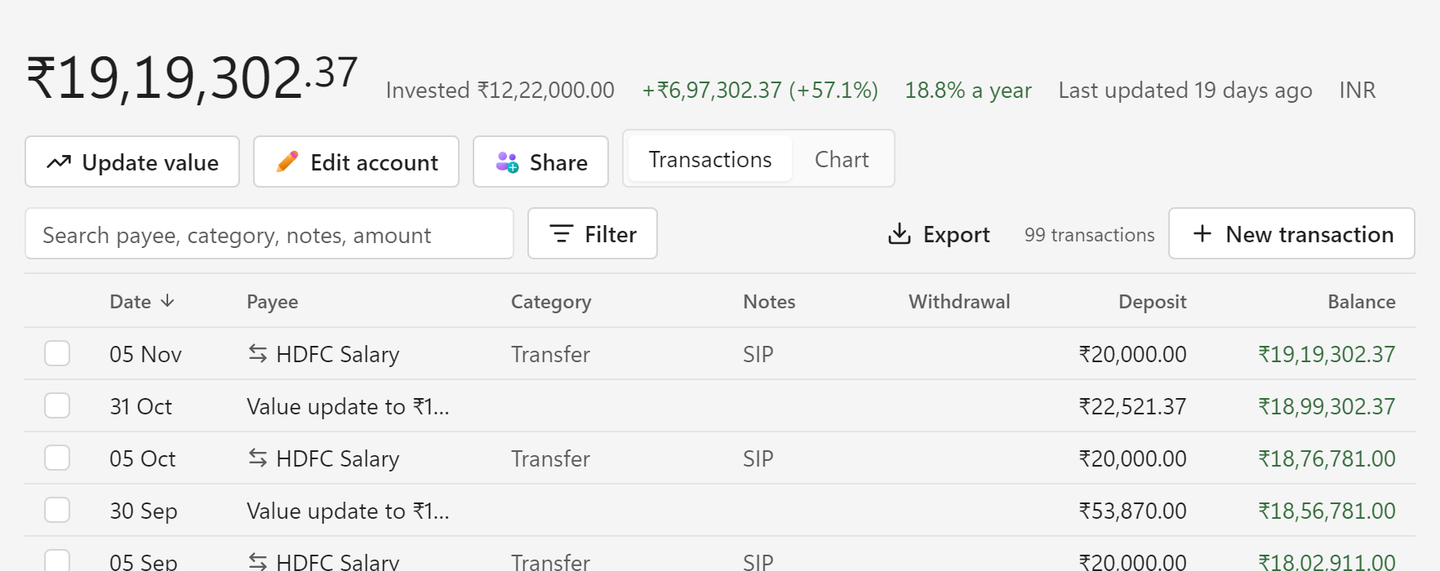
- The difference is recorded as a value update, not as income or spending. It changes your net worth but stays out of your spending reports.
- Update as often as you like: weekly, monthly or whenever you remember. Last updated at the top says how long ago it was, and turns amber once it’s been a while.
Adding a missed deposit later. A value update sets the value as of the end of its date. A deposit you add on that same date afterwards is added on top. So date the missed deposit before the update, or enter the update again after it.
Reading the numbers
At the top of a fund’s page:
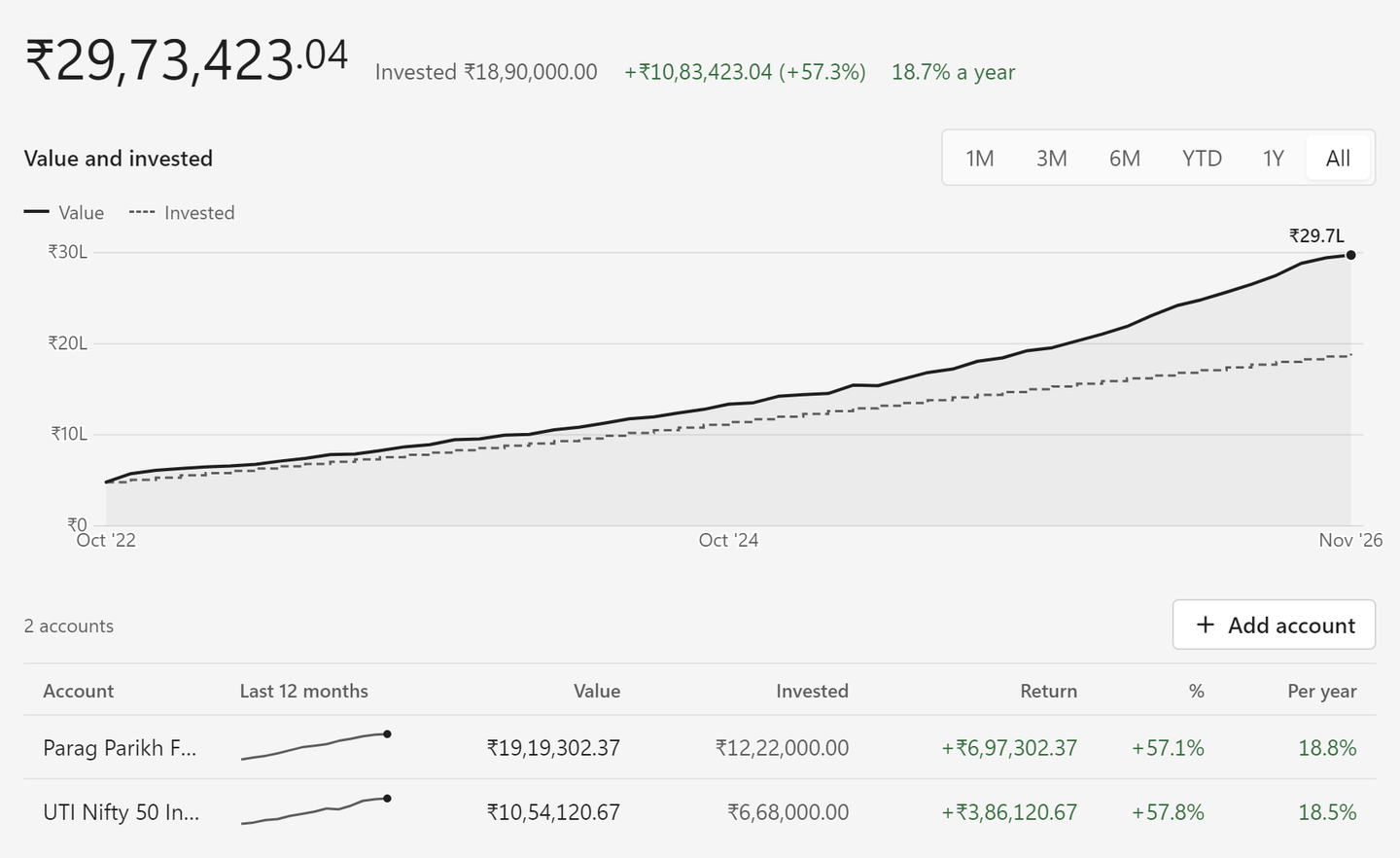
- The big figure: its value. That’s the last value you typed, plus anything you’ve put in since.
- Invested: everything you’ve put in, minus what you’ve taken out.
- The gain: value minus invested, and that as a percentage of invested.
- A yearly figure, such as “12.4 % a year”: the return per year since you started tracking it, counting when each amount went in. Point at it to see the start date. It shows once the account has a year of history and at least one value update.
Each value you type shows in the list as Value update to ₹…, so you can see how it moved. Chart at the top shows the value against what you put in, over time.
The percentage gain is the total since you started, not a yearly figure. To compare a fund with a deposit’s interest rate, use the yearly figure.
Costs and charges on an investment
A charge typed on the investment itself (a demat fee, say) under a spending category counts as money taken out and spent: Invested goes down by it, the return doesn’t change, and the charge shows in your spending. If you’d rather it lowered the return, open its category in Categories (left-hand list) and turn on Counts as return (gain or loss).
AGPL-3.0. Built with AI assistance. © 2026 JAM Lab